Know who's on site. Run a safe one.

The contractor management platform built for Australian schools. From the gate to the goodbye, Onsitr handles vendor onboarding, on-site check-in, permit-to-work, and incident management on every campus.

What Onsitr does

Three things, every campus, every day

Reception desk, principal's office, WHS officer, and the contractor at the gate, all on the same page.

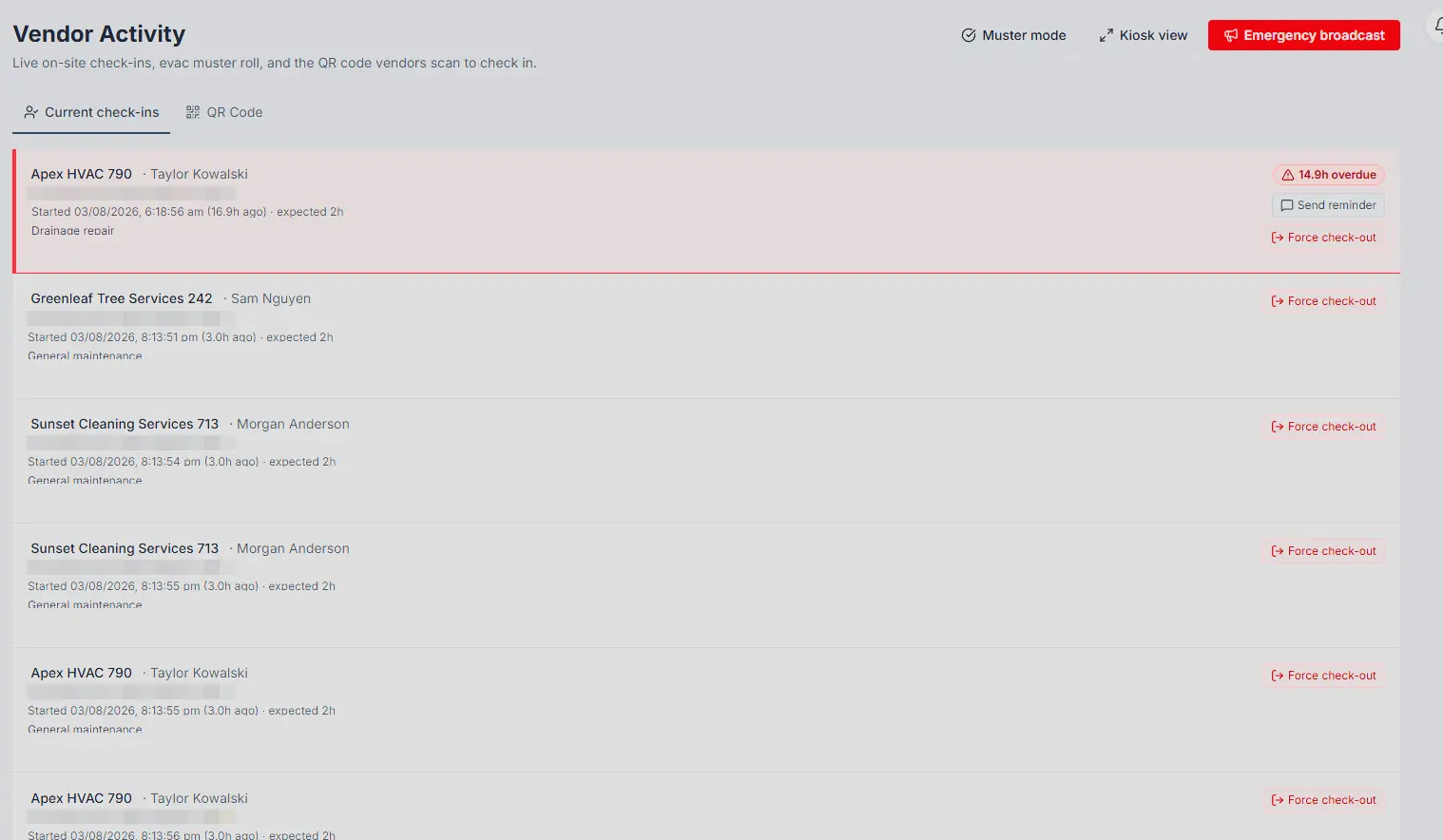
Know who's on site

Vendors check in at school reception via QR code. The front-of-house team and the principal see a live "on-site right now" board. During an evacuation, one screen shows everyone checked in across the campus, and one button broadcasts an emergency SMS to their phones.
Keep them safe

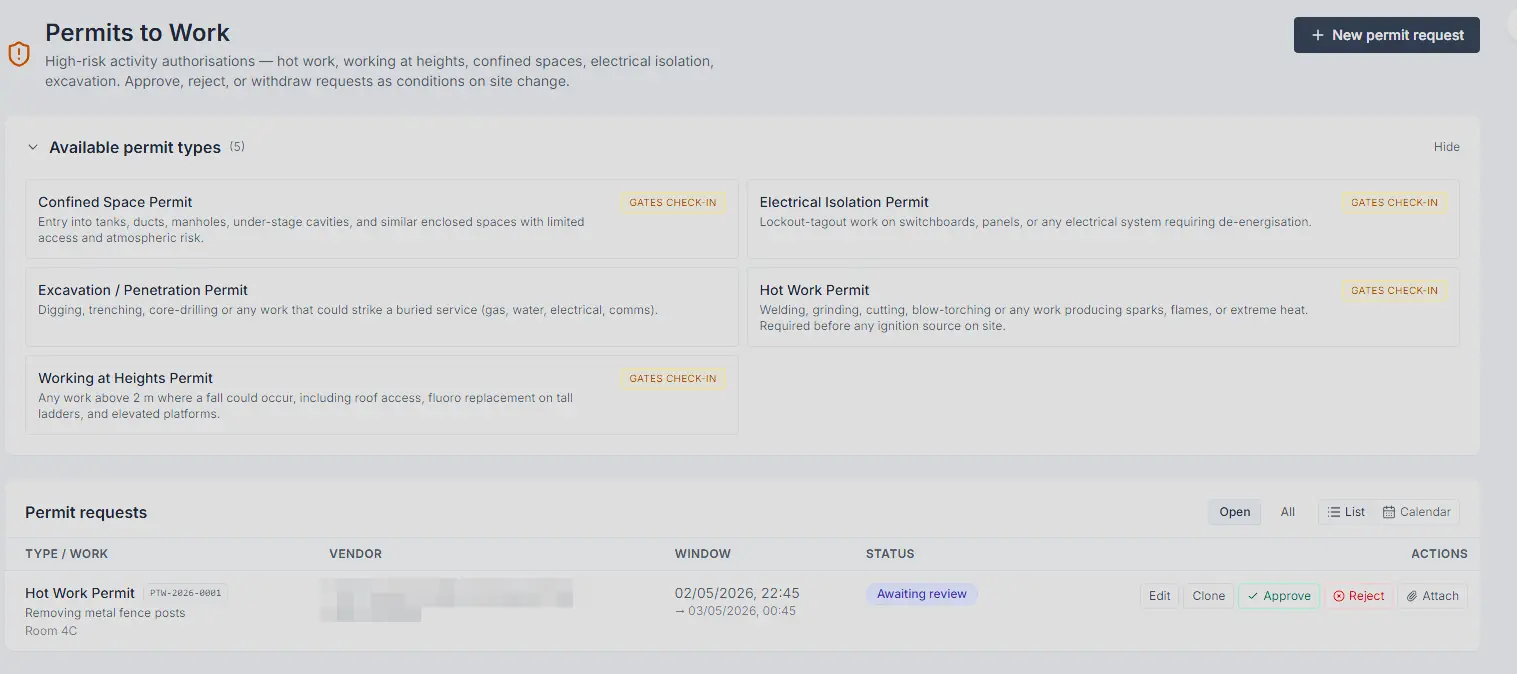
Permit-to-work for hot work, working at heights, electrical isolation, confined spaces. Worker re-qualification at the gate (a lapsed Blue Card halts the permit, automatically). Incident reporting straight from the vendor's phone at check-out.

Stay compliant

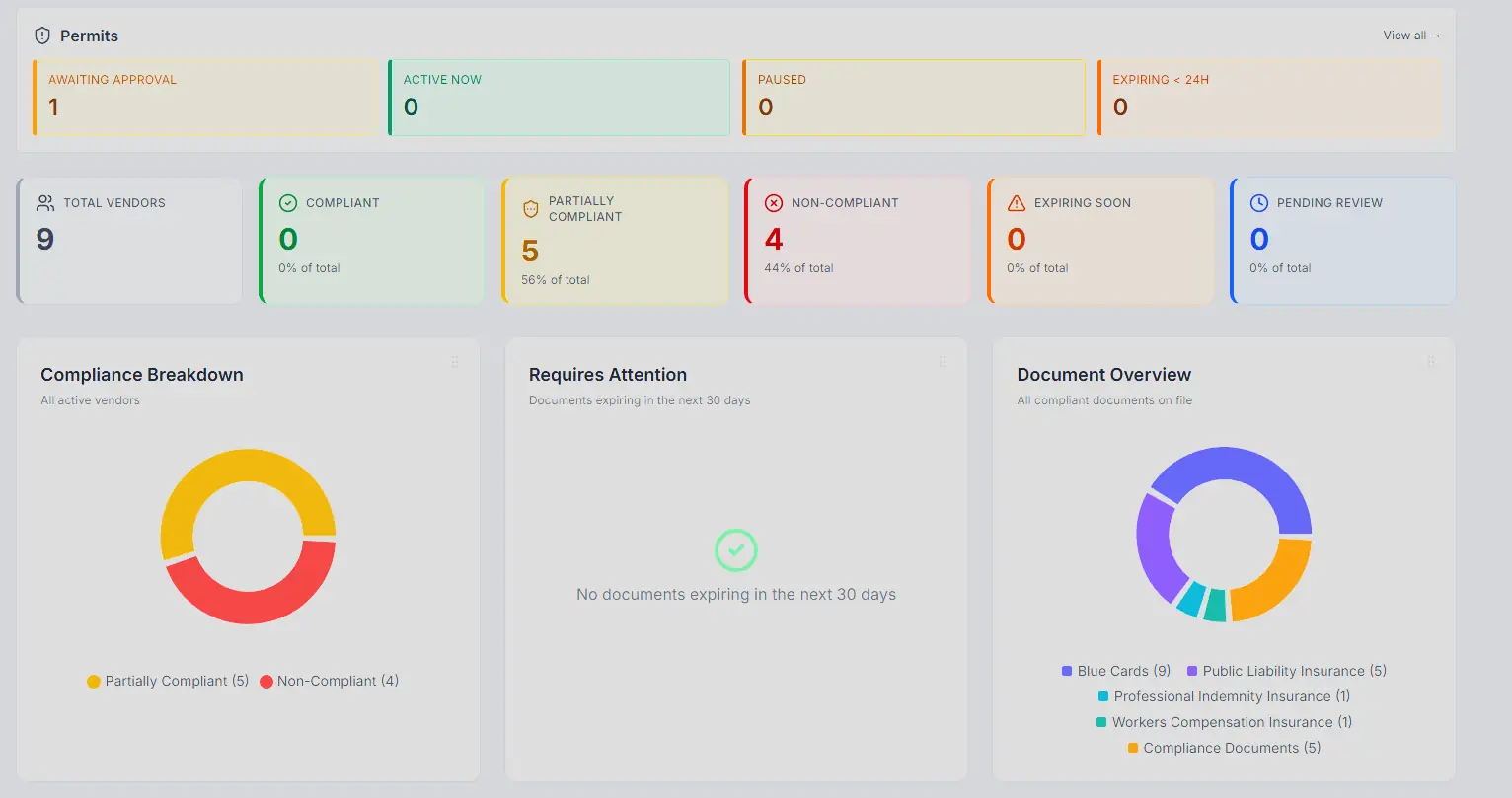
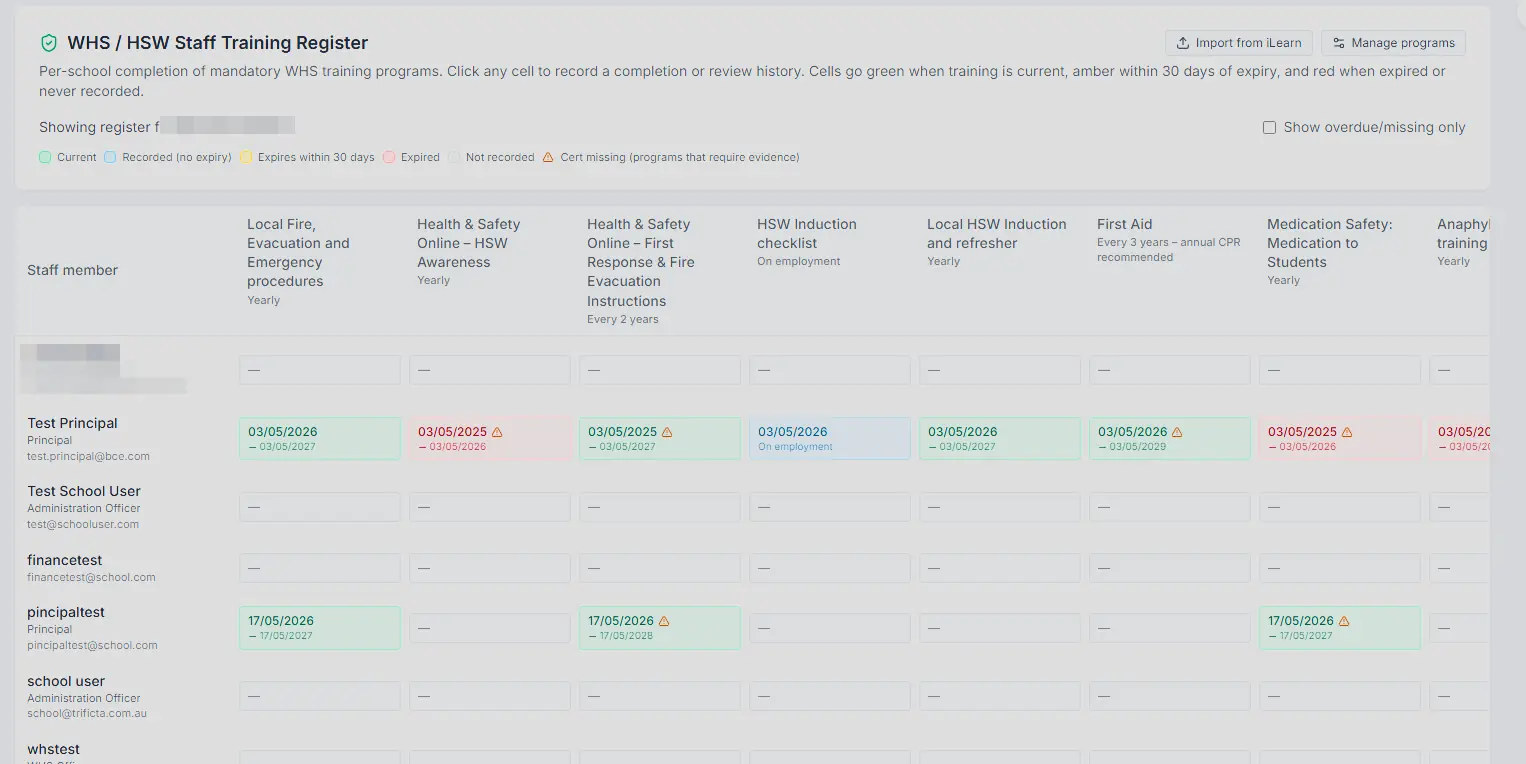
Vendor self-service portal for compliance documents. Two-step review queue with reviewer attribution. Automatic ABN re-verification, insurance and Blue Card expiry tracking, full audit log filterable by vendor, school, and date.

How it works

From the invitation to the sign-off

Operational, not abstract. This is what happens between a vendor being invited and a permit being closed out.

  1. 1

    A vendor is invited

    A school admin sends an invitation. The vendor signs up via the portal, uploads insurance, ABN, and Blue Cards. Onsitr verifies the ABN against the Australian Business Register automatically. School staff review the documents in a single queue and approve or reject with a reason. The vendor sees the rejection reason in their portal and re-uploads.

  2. 2

    Work is approved

    When the vendor needs to do high-risk work (hot work, working at heights, electrical, excavation, confined space) the school issues a permit-to-work. The permit checklist is structured against the relevant Australian standards. Required workers are named on the permit. If a named worker's Blue Card lapses between approval and the start of work, Onsitr holds the permit at Approved instead of promoting it to Active, and notifies the school.

  3. 3

    The vendor arrives

    A QR code at the school's reception desk lets the vendor check themselves in on their phone. The check-in is gated by the vendor's compliance status: a permit-required visit cannot start without an active permit, and a Blue Card with a Negative Notice automatically blocks site access at the door. School staff see the vendor on the on-site board within seconds.

  4. 4

    Work happens, safely

    A live "on-site right now" page lists every contractor currently on campus, by school. Reception runs it on a kiosk-mode tablet. If a permit is approaching its end time, Onsitr SMSs the vendor 30 minutes before lapse to wrap up or extend.

  5. 5

    Something goes wrong (optionally)

    The vendor reports a WHS incident at check-out from their phone. The school's WHS Officer is emailed automatically. The incident moves through Open, Investigating, Resolved, Closed with a full audit timeline showing who did what when. Tenants on an external WHS register can pipe incidents straight out via webhook.

  6. 6

    Or in an emergency

    One button on the on-site board sends an SMS to every checked-in vendor's primary contact phone. Recipient count is shown before sending and confirmed at send time so a stale page can't broadcast to the wrong audience.

  7. 7

    The work is signed off

    Vendor marks the work complete from their phone. School staff countersign and close the permit. The permit PDF includes both signatures and any conditions ticked at the start. Everything is in the audit log with reviewer attribution and timestamps.

Built for Australian schools

Not retrofitted from a construction tool

Concrete details that generic vendor management platforms cannot match.

Queensland Blue Card with Negative Notice handling

A Blue Card with a Negative Notice cannot work on school grounds under Queensland Government requirements. Onsitr enforces this at the gate: a vendor whose check-in attempts to bring an at-risk worker on site is blocked automatically. Generic vendor management tools treat Blue Cards as a document upload with an expiry date.

Term-aware booking and operations

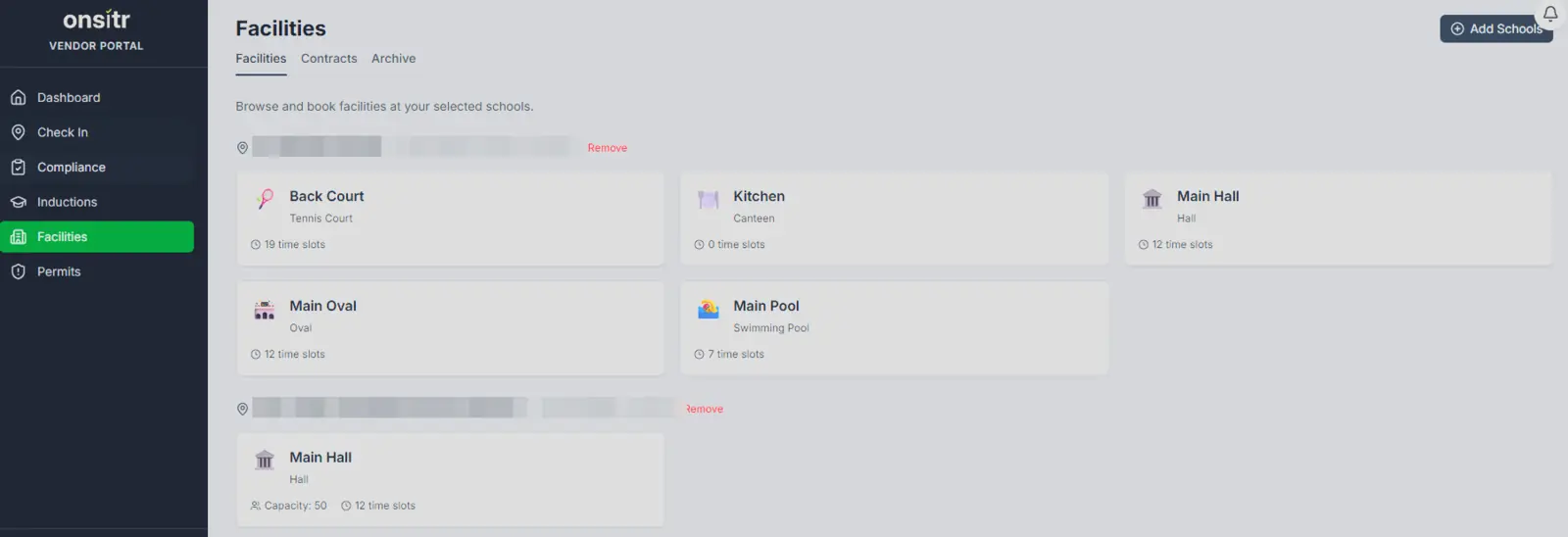
School terms, breaks, and shutdowns are first-class concepts in Onsitr's data model. A facility booking knows which term it falls in. A permit knows whether it overlaps a school holiday. The year-end roll auto-seeds next year's terms from the current pattern, so nothing breaks on January 1.

Per-school timezone awareness

Schools in Queensland and New South Wales sit in different time zones for half the year. Onsitr resolves the school's local time on every timestamp the user sees, so a permit "ending at 5pm" reads as 5pm to a Brisbane principal and 6pm to a Sydney one without anyone having to think about it.

Designed alongside the workflow

Built with input from an Australian schools system. Reception staff, principals, WHS officers, and contractors all shaped what's in the product, and what was deliberately left out.

Where Onsitr fits

Not a competitor to your procurement platform

Onsitr sits alongside the systems you already run, and stays out of the way otherwise.

Complements your procurement platform

If your school system is using Unimarket, VendorPanel, SAP Ariba or any other procurement platform for sourcing and purchasing equipment and services, Onsitr sits alongside it, not in front of it. Procurement platforms handle what you buy. Onsitr handles who comes through the front gate.

Complements your WHS register

If your organisation runs an external WHS register (DoneSafe, HSI, Avetta, Rapid Global), Onsitr can be configured to capture incidents locally, push them to your register via webhook, and stay out of the way otherwise. The school still gets the on-site / check-in / permit / broadcast capability that those tools don't provide.

Built to integrate

Outbound webhooks for vendor check-ins, check-outs, and incidents. Inbound API for external kiosk systems that already run at reception. Microsoft Entra single sign-on and Google sign-in for both school staff and vendors. iCal feed for facility booking calendars. Email and SMS notifications across vendor and school events.

What's included

Everything in the platform

Pricing isn't on this page by design. Get in touch and we'll scope per organisation.

Vendor onboarding

  • Self-service vendor portal
  • Compliance document collection (insurance, public liability, Blue Cards, training records, custom document types)
  • Two-step review queue with reviewer attribution and rejection reasons
  • Bulk vendor import via CSV with dry-run preview and ABR enrichment
  • Australian Business Register (ABR) ABN verification with daily re-check
  • Vendor primary contact, additional contacts, contractor management

On-site operations

  • QR code check-in at reception
  • Live on-site board with kiosk view for evacuations
  • Per-school filtering and grouping
  • Vendor self check-out via the portal
  • Auto check-out at end of school day for vendors who forget
  • Compliance gate at check-in (a non-compliant vendor cannot start a visit)

Permit-to-Work

  • Hot work, working at heights, electrical, confined space, excavation templates aligned to Australian standards
  • Custom permit templates with structured safety control checklists
  • Multi-day and recurring permits with daily window and weekday mask
  • Worker re-qualification at the gate (lapsed Blue Card halts promotion)
  • 30-minute lapse SMS to vendor and school
  • Pause and resume mid-work for weather holds
  • Vendor sign-off, school countersign, permit PDF with both signatures
  • Inline incident creation when a permit is withdrawn

WHS incident management

  • Vendor-initiated incident reporting at check-out
  • Permit-driven incident creation on withdrawal
  • School-side investigation queue (Open, Investigating, Resolved, Closed)
  • Severity classification, reviewer attribution, audit timeline
  • Webhook integration for external WHS registers
  • Optional feature flag: tenants can disable the in-app management layer and rely entirely on their existing register

Compliance and audit

  • Document expiry sweep and reminders
  • Two-step review with full audit trail
  • Audit log filterable by vendor, school, date range, level, category
  • CSV and PDF export for vendor list, expiring documents, permit register, incident log
  • AppLog category filtering for compliance evidence
  • Compliance status badge on every vendor profile

Communications

  • In-app notification centre with bell drawer
  • Web push notifications (browser-based, opt in)
  • Email notifications for permit, document, and incident events
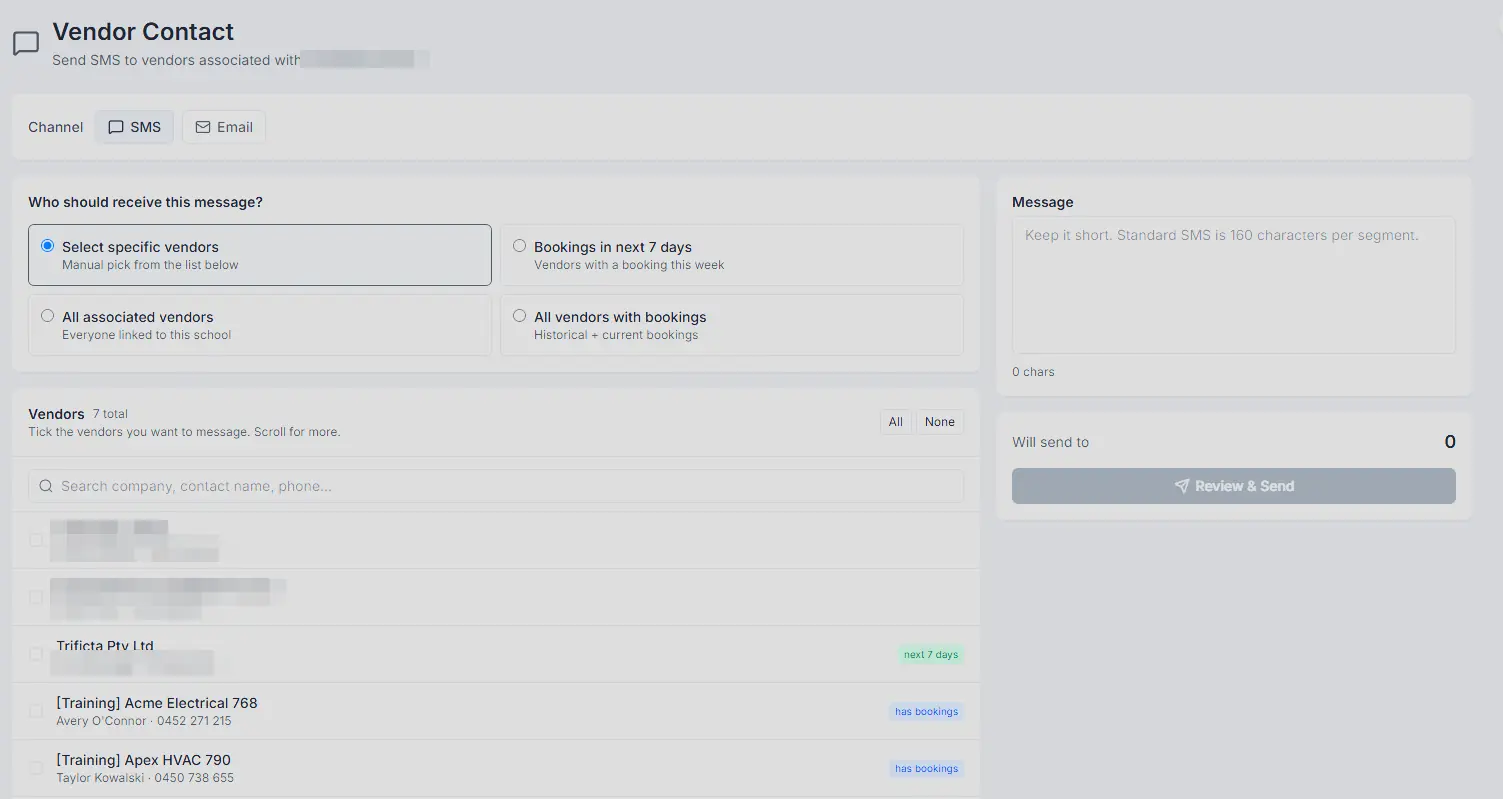
  • SMS notifications for check-ins, permit lapse warnings, and broadcasts
  • Emergency broadcast SMS to all checked-in vendors
  • iCal feed for facility booking calendars

Authentication

  • Email and password with MFA for school staff
  • Microsoft Entra single sign-on
  • Google sign-in
  • Forgot-password and password-reset flows
  • Per-school access controls

Australian school context

  • Queensland Blue Card and Negative Notice handling
  • AU state-based timezone resolution (AEST, ACST, AEDT)
  • School term, break, and shutdown calendar
  • Per-tenant principal and assistant principal signing authority
  • Multi-school organisation support
Get Started

Run safer schools. With less paperwork.

We'd value 20 minutes to walk you through Onsitr, mapped to your own workflow and the platforms you already have. No slide deck, just the product.